
Short answer: Forex apps fall into two groups: trading platforms that connect to your account with a provider, such as MT4, MT5 and cTrader, and charting apps such as TradingView. Most beginners start with MT5 for placing trades and TradingView for analysis. If you use an EA or a copy trading service, choose whatever that system supports, and only download from the provider's official website or the official app stores, because fake trading apps are one of the most common scams.
Search "forex trading app" in an app store and you'll get hundreds of results. Some are real tools used by traders worldwide, some are platforms you can't verify, and some are fakes built to get you to transfer money. This article covers the main apps worth knowing, how they differ, and how to choose the right combination for the way you trade.
Forex apps come in two groups
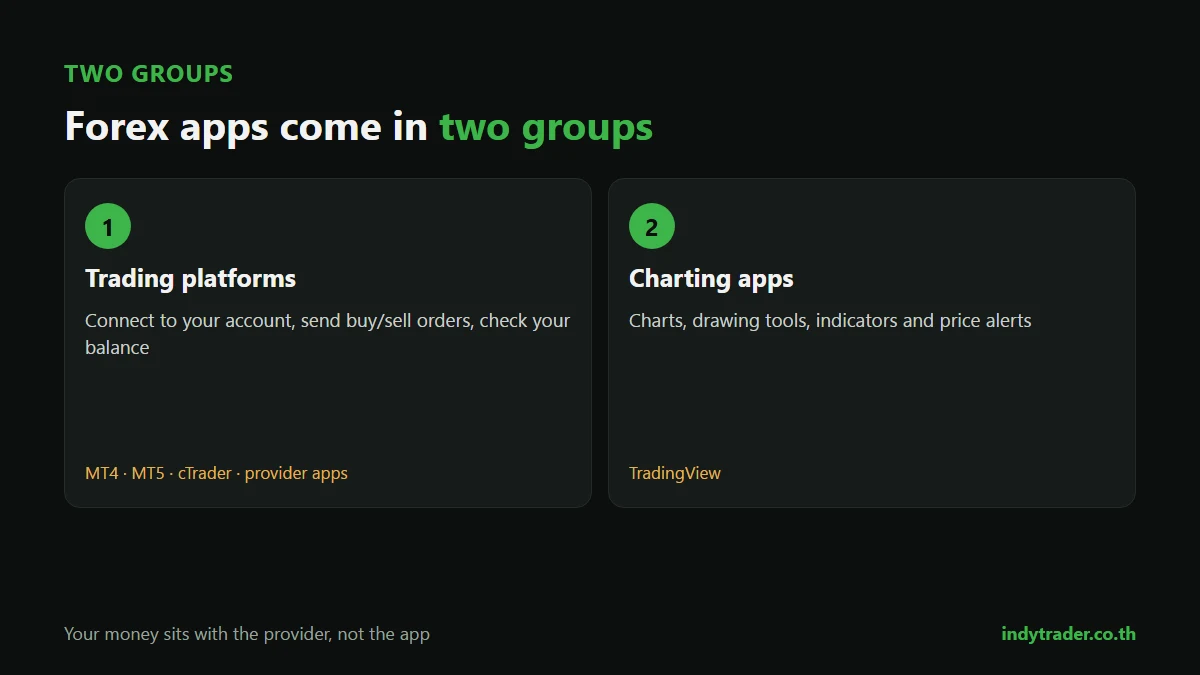
Group | What it does | Examples | Key point |
|---|---|---|---|
Trading platforms | Connect to your trading account, send buy/sell orders, show your balance | MT4, MT5, cTrader, providers' own apps | Your money sits with the provider, not the app |
Charting apps | Charts, drawing tools, indicators, price alerts | TradingView | Some connect to certain providers so you can trade from them |
An app is not a provider. When you use MT5, your money is held by the company that opened your account, so trustworthiness depends mainly on the provider (see How to choose a forex broker).
Popular forex apps compared
App | Strengths | Limits | Best for |
|---|---|---|---|
MT4 | The most widely used; a huge choice of EAs and indicators | Older tools, no built-in economic calendar | People using an EA or system that only supports MT4 |
MT5 | More timeframes and pending orders, built-in economic calendar, better strategy testing | MT4 EAs don't run on it | Beginners starting from scratch |
TradingView | Smooth charts on every device, easy price alerts, paper trading, an idea-sharing community | Live trading only with connected providers; the free plan limits indicators per chart | Chart analysis and alerts |
cTrader | Modern interface, market depth, detailed order tools | Fewer providers support it than MetaTrader | Traders who want detailed order control |
Providers' own apps | Simple to use, deposits and withdrawals in the same app | Tied to one provider; usually fewer analysis tools | People who want simplicity above all |
For the details of MT4 versus MT5, read MT4 vs MT5, and for a step-by-step guide to MT4, see What is MT4.
Can you trade only on your phone?
Yes, with some limits worth knowing.
Task | Computer | Phone |
|---|---|---|
Analysing several timeframes | Easy, many charts at once | Possible, but lots of switching on a small screen |
Drawing support and resistance | Precise | Harder, easier to misplace |
Running an EA / automation | Yes (or via a VPS) | No |
Placing orders and moving stop-losses | Yes | Yes |
Monitoring trades during the day | Only at your desk | Most convenient |
A common approach for people with day jobs: analyse and plan on a computer, set pending orders with a stop-loss, then monitor on your phone. This cuts down on rushed decisions made on a small screen.
A practical app set-up for beginners
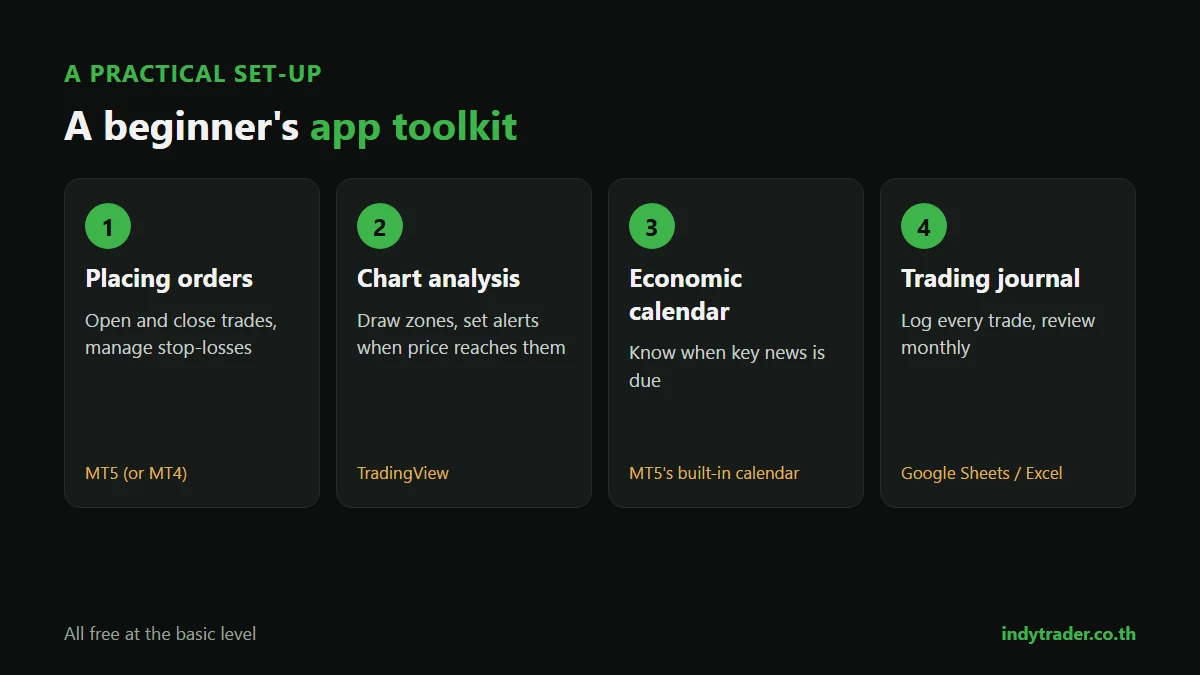
Job | Suggested app | What it's for |
|---|---|---|
Placing orders | MT5 (or MT4 if your system only supports MT4) | Opening and closing trades, managing stop-losses |
Chart analysis | TradingView | Drawing zones, setting alerts when price reaches them |
Economic calendar | MT5's calendar or a financial news site | Knowing when key news is due |
Trading journal | Google Sheets or Excel | Logging every trade and reviewing monthly |
All of these are free at the basic level. The benefit of separating analysis from execution is that you can set a price alert on TradingView and only open MT5 when price reaches your planned level, instead of watching charts all day. One caution: prices on TradingView can differ slightly from your account because they use different price feeds, so always set entries and stop-losses from the platform you actually trade on.
If you don't have an account yet, start with a demo (see Forex demo accounts).
How to tell a real trading app from a fake
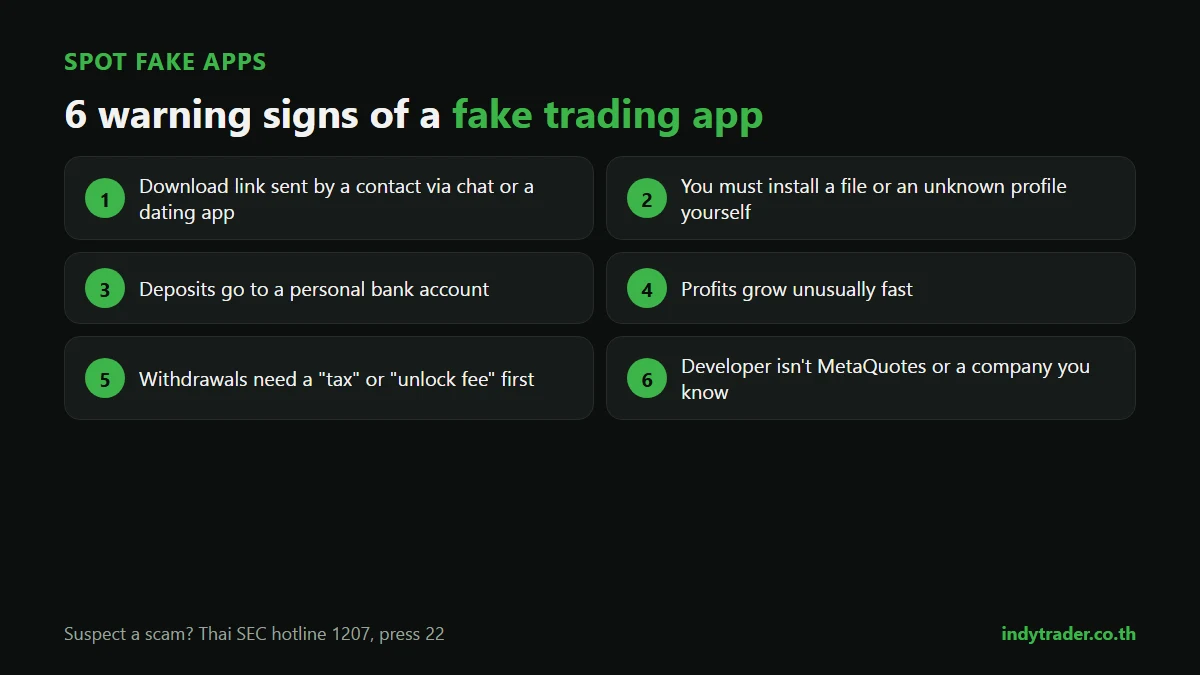
Fake trading apps are among the most common investment scams. They often show attractive profits on screen, but aren't connected to a real market, and you can't withdraw.
Warning signs:
The download link came from someone you met via LINE, Facebook or a dating app, not from an app store or official website
You have to install a file yourself, or install it through an unknown profile
Deposits go to a personal bank account
Profits grow unusually fast, but withdrawals require a "tax" or "unlock fee" first
The app name looks like a well-known one but is spelled slightly differently, or the developer isn't a company you know
Make sure the developer of MT4/MT5 in the app store is MetaQuotes, and download providers' own apps only through links on their official websites.
A lesson from MT4/MT5 being removed from the App Store
In late September 2022, Apple removed MT4 and MT5 from the App Store. During that period, apps using similar names or designs appeared and some people lost money. The genuine apps returned to the App Store in early March 2023, according to MetaQuotes. The lesson: an app's name proves nothing; check the developer and the download source every time.
If you suspect a scam, call the Thai SEC hotline 1207, press 22.
Choosing your app: 4 questions
Will you use an EA or copy trading? If so, choose the platform that system supports (see What is an EA)
Which apps does your provider support? Your trading platform must match what the provider offers
Will you analyse mainly on a phone or a computer? On a phone, TradingView is usually easier for drawing and reading charts
Do you want a built-in economic calendar? If you trade gold or around news, MT5 is more convenient
Summary
Forex apps include trading platforms and charting apps. Most beginners start with MT5 for trading and TradingView for analysis, monitor on a phone, plan on a computer, and download only from official sources, because even the best app can't help if your money goes to a fake platform. Whichever app you use, results still come down to your plan and risk control (see Risk management).
Learn your tools properly from day one
The Road to Trader course for beginners, taught by founder Coach Beer, covers forex basics, trading mindset, key terms such as pips, lots, leverage and margin, the MT4 platform and the Indy System Trade method, with access to the Indy Trader community.
Frequently asked questions
Which forex trading app is best for beginners?
Most beginners are best served by MT5 for placing trades, because it's newer and widely supported, plus TradingView for chart analysis. If you use an EA or a system that only supports MT4, choose MT4.
Can you trade on TradingView?
TradingView is mainly a charting app. You can place live trades only with providers connected to TradingView, and it offers paper trading for practising with simulated money.
Can I trade forex only on my phone?
Yes. MT4, MT5 and TradingView all work on phones for both charts and orders. Multi-timeframe analysis and running EAs are much easier on a computer.
How do I spot a fake forex app?
Check that the developer in the app store matches the real company, never download from links sent by strangers, never transfer money to a personal account, and be wary of any app that asks for a fee before you can withdraw.
Is a gold trading app different from a forex app?
No. Gold (XAUUSD) is traded through MT4, MT5 or other provider platforms just like currency pairs.
Sources
By the Indy Trader team. Indy Trader is a forex and gold trading academy founded in 2012 by Coach Beer (Tithivat Huayhongtong).
Risk warning: Forex and gold trading carry a high level of risk and you may lose some or all of your capital. This article explains how to use software and is not investment advice or an endorsement of any provider.
